The 1990s: the hand turns the big volume knob, the eyes stay on the road (0.0 s).
Why could you turn up the volume in older cars without even looking? Because the knob was physical, big, and right next to the steering wheel.
On a touchscreen, you have to aim
On the touchscreens of recent cars, the button is small and squeezed between its neighbours. To hit the right one, you have to take your eyes off the road and aim.
A principle: Fitts’s Law
What you just saw has a name: Fitts’s Law. And it comes with a mathematical relation.
What the rule says
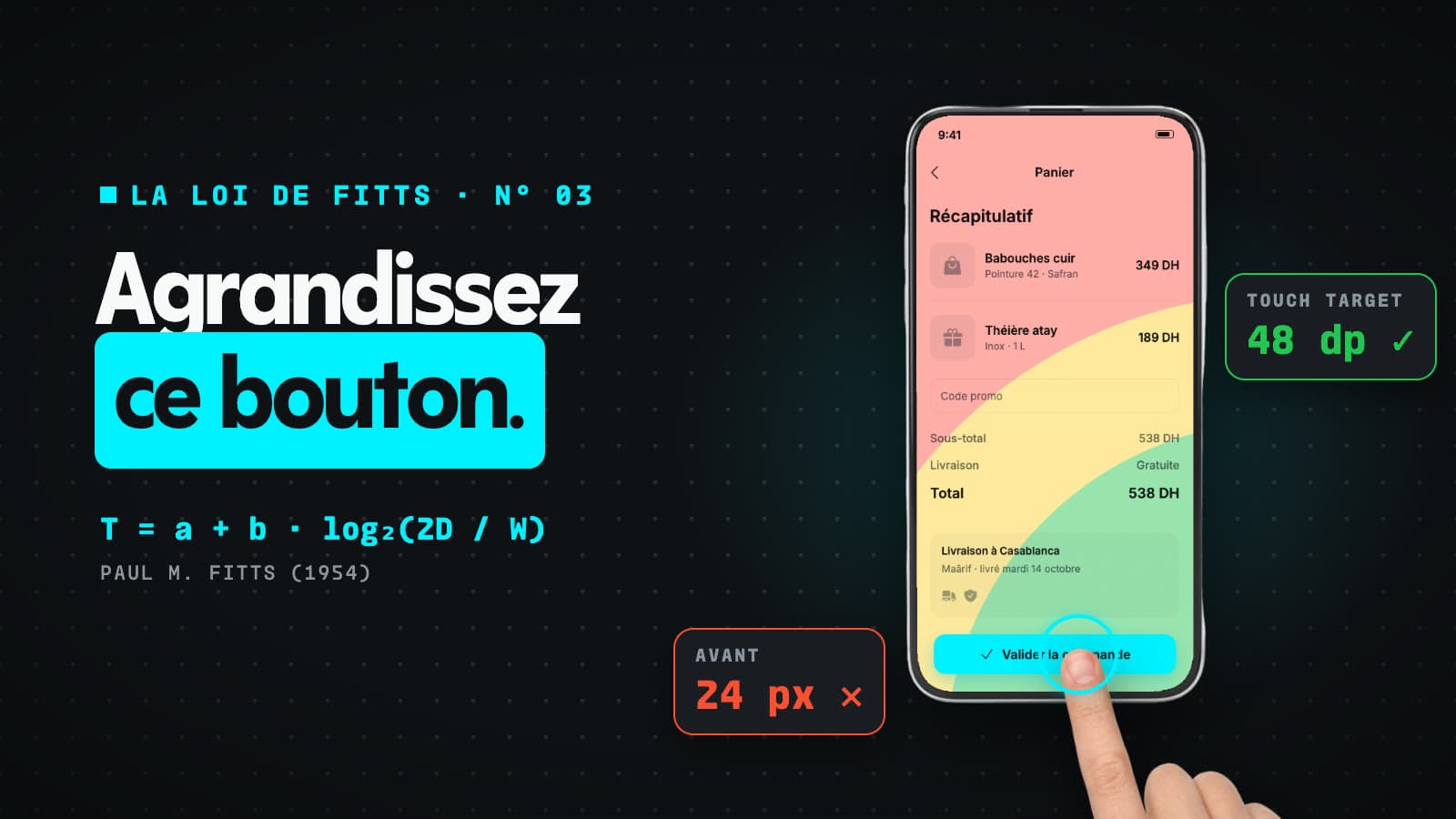
Stated by psychologist Paul Fitts in 1954, it fits in one equation: T = a + b · log₂(2D / W). Don’t worry: only three terms matter here.
T, D and W
T is the time it takes you to click. D is the distance to the target. W is the target’s width.
The further, the slower
The further you move the target, the longer the user takes to reach it.
The bigger, the faster
And the bigger you make the target, the faster the action, with no mistakes.
Rule 01 · A finger is not a mouse
Let’s apply it in Figma, with the industry’s standards. Your finger is not a mouse pointer: where the arrow aims at one pixel, the finger covers the button and its neighbours.
44 × 44 points at Apple
Apple’s Human Interface Guidelines set a touch target of at least 44 × 44 points.
48 × 48 dp at Google
Google’s Material Design asks for 48 × 48 dp. So make that button bigger!
Rule 02 · The Thumb Zone
Second rule: cut the distance, and put the calls to action at the bottom of the screen, in the Thumb Zone. That is where the thumb works when you hold your phone in one hand, the most common grip.
Green at the bottom, red at the top
The green zone is where the thumb gets easily. The red zone, at the top, is hard to reach: you have to shift the phone in your hand to tap there.
In short
A big size and a short distance: a better experience, and conversion going up.
Otherwise, the user gets angry
Next time you design a screen, remember Fitts’s Law. Because in the end, if the user can’t quickly find the button they want…
… they will find this one
… the “Uninstall” button is always big and easy to reach.
This article covers episode N° 03 of our series on the UX laws. Next episode: Von Restorff Effect.